
Let me tell you something that surprised me. I used to carry two phones everywhere. One for work, one for personal use. Then I discovered eSIM technology, and everything changed. No more swapping physical SIM cards. No more losing those tiny plastic chips. No more waiting for a replacement SIM when I switched phones.
An embedded SIM. It lives inside your phone permanently. You cannot see it. You cannot touch it. But it does everything a physical SIM does. Calls, texts, mobile data. Everything.
The best part? You can store multiple eSIMs on one phone. Multiple numbers. Multiple carriers. All on a single device.
In Pakistan, mobile carriers have finally embraced this technology. Jazz, Zong, Telenor, and Ufone all offer eSIM services now. But the process of converting your regular SIM to an eSIM is not always obvious. Different carriers have different methods. Some let you do it through an app. Others require a visit to a service center.
I have converted multiple SIMs to eSIM across all four major Pakistani carriers. In this guide, I will walk you through exactly how to do it. No confusion. No guesswork.
What You Need Before Converting to eSIM
Before you start the conversion process, make sure you have these things ready.
A compatible phone. Not every phone supports eSIM. Here are the most common eSIM-compatible phones available in Pakistan:
- iPhone XS, XR, and newer (including all iPhone 11 to iPhone 16 series)
- Samsung Galaxy S20, S21, S22, S23, S24, S25, and S26 series
- Samsung Galaxy Note 20 and newer
- Google Pixel 3 and newer
- OnePlus 11, 12, and 13
- Xiaomi 13 and 14 series (select models)
If your phone is not on this list, check your phone settings. Go to Settings → About Phone. Look for “eSIM” or “SIM manager.” If you do not see it, your phone probably does not support eSIM.
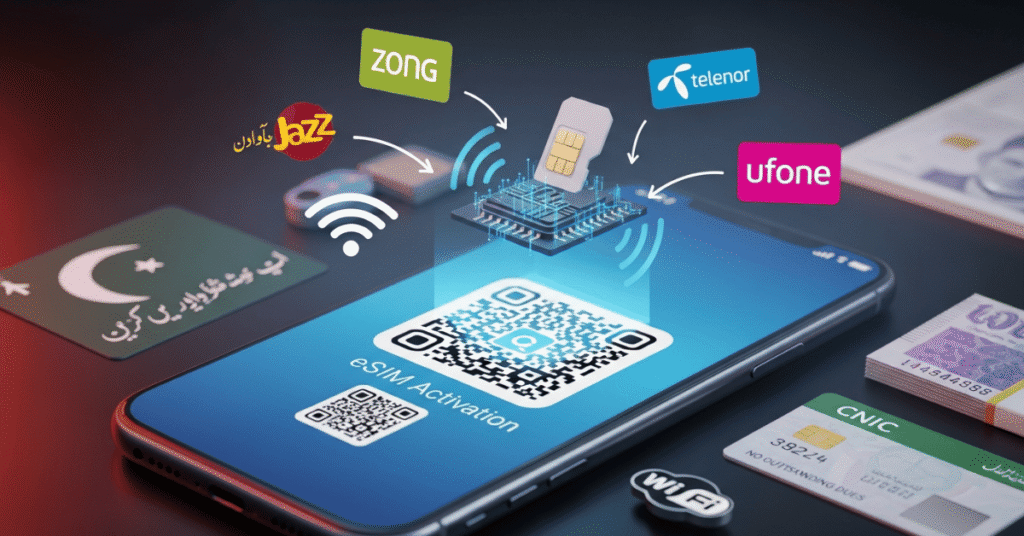
Your original physical SIM. You need the active SIM card in your phone to start the conversion process. Do not throw it away yet.
A stable internet connection. Most carriers send confirmation messages or require app-based verification. Make sure you have working Wi-Fi or mobile data.
Your CNIC. You will need your computerized national identity card for verification. The SIM must be registered in your name.
No outstanding dues. Your account must be clear. No unpaid bills. No pending payments.
Once you have all these ready, you can start the conversion.
How to Convert SIM to eSIM on Jazz
Jazz makes it easy to convert an eSIM. The Jazz World app lets you do everything without having to go to a store.
Step 1: Get the Jazz World app from the Google Play Store or the Apple App Store. Use your Jazz number to log in. You will get an OTP to confirm your identity.
Step 2: Click on “Services.” Find “Request eSIM.” Hit it.
Step 3: Type your CNIC number exactly as it is written on your ID card. The system will check to see if you own the SIM.
Step 4: You will get a text message to confirm. To confirm your request, type “1.”
Step 5: Jazz will send you a QR code by email or in the app that will let you activate your eSIM. Keep this QR code.
Step 6: Open the settings on your phone. To add an eSIM to your iPhone, go to Settings > Cellular > Add eSIM. On a Samsung phone, go to Settings, then Connections, then SIM Manager, and then Add eSIM. Read the QR code you got.
Step 7: Your physical SIM card will stop working in two hours. Turn off your phone and then back on again. Your eSIM should now be working.
Cost: Free. Jazz does not charge for eSIM conversion as of 2026.
Processing time: 2 to 24 hours.
How to Convert SIM to eSIM on Zong
Zong’s customer service channels can help you switch to an eSIM. The steps are a little different from jazz.
First, call 310 from your Zong SIM. You have reached Zong customer service. Ask for an eSIM conversion. The representative will check to see who you are.
Step 2: You will get an SMS to confirm. Please respond with your CNIC number as directed.
Step 3: Within 24 hours, Zong will send an activation QR code to the email address you used to sign up.
Step 4: Go to the settings on your phone. Go to the part of the settings that lets you manage your eSIM or SIM. Read the QR code.
Step 5: Your physical SIM will stop working as soon as the eSIM is activated. Save the QR code in case you have to reinstall the eSIM later.
Another option is to go to any Zong franchise with your original CNIC and SIM. A representative will handle the conversion and give you a printed QR code.
Price: The first conversion is free. There may be a small fee for later conversions.
Processing time: 24 to 48 hours.
How to Convert SIM to eSIM on Telenor
Telenor calls their eSIM service “My eSIM.” The process requires a visit to a Telenor franchise for most customers.
Step 1: Look for the Telenor franchise that is closest to you. You can get one by calling customer service at 345 or going to the Telenor website.
Step 2: Bring your original CNIC and the physical SIM you want to change. You need to have a SIM that is registered in your name and is still active.
Step 3: The representative will look over your information and take care of your eSIM request. You will get a QR code in the mail or on paper.
Step 4: Use the eSIM setup menu on your phone to scan the QR code. Follow the instructions on the screen.
Step 5: Restart your phone. Your eSIM should start working quickly.
Please be aware that Telenor does not currently offer full online eSIM conversion. You need to go to a franchise at least once.
Cost: Free for postpaid customers. Prepaid customers may pay a small fee of around PKR 200 to 500.
Processing time: 1 to 3 days.
How to Convert SIM to eSIM on Ufone
Ufone was the last major carrier in Pakistan to offer eSIM, but they now have a simple process.
Step 1: From your Ufone SIM, call 333. Ask the customer service representative to change your SIM card to an eSIM.
Step 2: You will get a link by text message. Click on the link and fill out an online form with your CNIC and SIM information.
Step 3: Ufone will check the information you gave them. This could take as long as 24 hours.
Step 4: After your information has been confirmed, you will get an email with an activation QR code.
Step 5: Use your phone’s settings to scan the QR code. The eSIM will turn on right away.
Step 6: Your physical SIM will stop working. Don’t take it out until the eSIM is working right.
Cost: Free for Ufone postpaid customers. Prepaid customers pay PKR 300.
Processing time: 24 to 48 hours.
How to Turn on eSIM on Your Phone: A Step-by-Step Guide
Once you get the QR code from your carrier, follow these steps to turn on the eSIM.
On an iPhone (iOS 17 or later):
Go to settings.
Tap on Cellular or Mobile Data
Touch Add eSIM
Use the QR code by tapping.
Using your carrier’s QR code, scan it.
Press continue.
Put a label on your eSIM (Personal, Work, Travel, etc.).
Click “Done.”
For Samsung Galaxy (One UI 6 or newer):
Go to settings.
Connections Tap
Press SIM Manager
Press “Add eSIM.”
Press Scan QR Code from the Carrier
Look at the QR code.
Follow the instructions on the screen.
Turn your phone back on.
For Google Pixel (Android 14 or later):
Go to settings.
Click on “Network & Internet.”
Tap SIMs
Tap Add SIM, then choose Download a SIM instead.
Tap Next and then scan the QR code.
Do what you’re told.
Things You Should Know Before Converting
My hard-learned lessons.
Your SIM card stops working. After you turn on the eSIM, your physical SIM card won’t work anymore. Don’t throw it away right away. Keep it for a week just in case something goes wrong.
You cannot move eSIMs easily. With a physical SIM, you just pop it into another phone. With eSIM, you need to request a new QR code from your carrier. Some carriers charge for this.
Not all phones support dual active eSIMs. Many phones support multiple eSIM profiles but only one active at a time. Check your phone specifications.
Backup your QR code. Save the activation QR code as a screenshot or PDF. If you reset your phone, you will need it to restore your eSIM.
International roaming works fine. eSIMs support international roaming exactly like physical SIMs. No difference.
Frequently Asked Questions (FAQs) How to Convert SIM to eSIM
Q1: Is eSIM free to convert in Pakistan?
Jazz offers free conversion. Zong offers the first conversion free. Telenor and Ufone may charge between PKR 200 and 500 depending on your plan type.
Q2: How long does eSIM conversion take in Pakistan?
Between 2 hours and 3 days depending on the carrier. Jazz is fastest. Telenor takes the longest.
Q3: Can I convert back to a physical SIM after using eSIM?
Yes, of course.
Your carrier can replace your SIM physically. Most carriers charge a small fee for this.
Q4: Does eSIM work for prepaid numbers in Pakistan?
Yes. All major carriers support eSIM for both prepaid and postpaid connections.
Q5: How do I use two eSIMs on the same phone?
That depends on your phone. Most newer iPhones and Samsung flagships support dual active eSIMs. Check your phone specifications.
Q6: What happens if I lose my eSIM-enabled phone?
Contact your carrier immediately. They can deactivate the eSIM remotely. When you get a new phone, request a new eSIM QR code.
Q7: Can I convert my SIM to eSIM while outside Pakistan?
No. Most carriers require you to be on their network to complete the conversion process. Do this before traveling.
Q8: Which Pakistani carrier has the best eSIM experience?
Jazz offers the smoothest process with app-based conversion. Zong is also reliable. Telenor requires a store visit, which is inconvenient.
Final Thoughts
Converting your SIM to eSIM in Pakistan is easier than you might think. Jazz offers the smoothest experience with app-based conversion. Zong is also reliable. Telenor and Ufone work fine but may require a store visit or small fee.
The benefits are real. No more lost SIM cards. No more waiting for replacements. Multiple numbers on one phone. Cleaner device design.
Just make sure your phone supports eSIM before starting. And always keep a backup of your activation QR code. It’s always good to have it on hand.
Have you converted to eSIM yet? Which carrier did you use? Let me know in the comments.
